
Best Buy: Shop tech deals
Best Buy Co., IncShopping
4.785.11K Reviews
- Version
- 26.10.10
- Installs
- 10.00M
- Age Rating
- Everyone
Screenshots
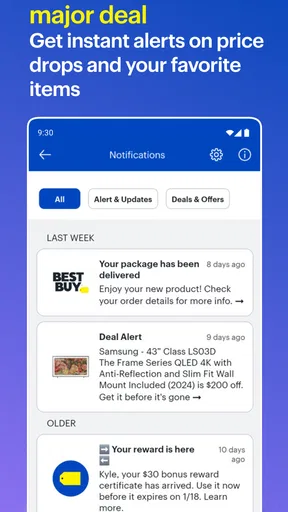
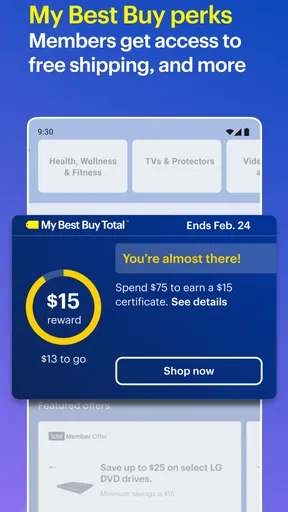
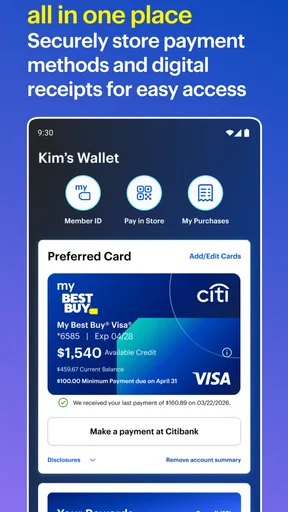
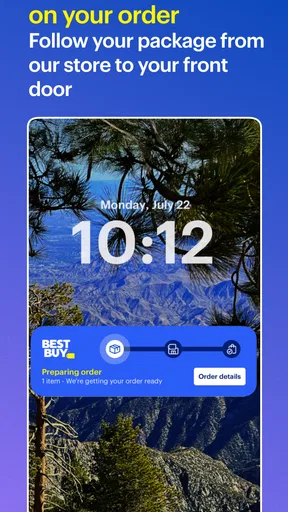
Our Review of Best Buy: Shop tech deals
 Analysis by Appyee
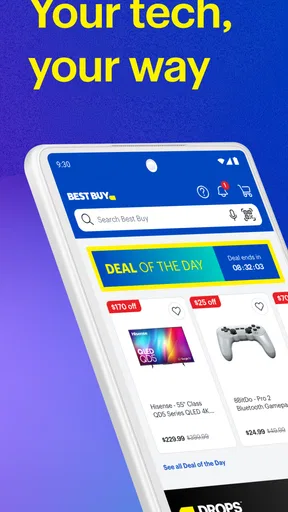
I found Best Buy: Shop tech deals most useful when I treated it as a practical shopping companion rather than a complete replacement for careful product research. It puts Best Buy’s electronics and appliance catalog in a phone-friendly format, helps me check current options while I am away from a computer, and gives extra attention to app-exclusive Best Buy Drops. That combination makes it appealing for planned purchases, quick comparisons, and moments when I want to see whether a particular item is available through Best Buy.
My overall view is positive, but it comes with an important qualification: this is strongest for people who already shop at Best Buy or want a direct route to its inventory. If I am comparing the entire market, checking independent reviews, or hunting for the absolute lowest price across several retailers, I still need other tools. The app is convenient and focused, not a universal shopping engine.
What using Best Buy feels like in everyday shopping
Best Buy: Shop tech deals is a free shopping app from Best Buy Co., Inc., aimed primarily at technology, entertainment electronics, computing products, accessories, and appliances. I see it as a mobile storefront with enough practical utility to support a real buying decision, rather than merely a catalog for browsing. The store summary’s focus on refreshing a home with smart technology and appliances reflects its broadest appeal, although the experience also makes sense for smaller purchases such as cables, peripherals, or replacement accessories.
The first strength is focus. Instead of mixing electronics with clothing, groceries, furniture, and countless unrelated categories, the app keeps my attention on products that often need specifications and compatibility checks. That matters when I am choosing a laptop accessory, a television, a kitchen appliance, or a smart-home product. A general marketplace may show more sellers, but it can also create more noise and make it harder to keep track of what actually fits my needs.
I also appreciate the convenience of having Best Buy’s shopping experience in one place. When I remember that I need a new charger, want to investigate a monitor, or decide to replace an aging appliance, I can begin with a search instead of opening a browser and navigating a desktop site. The phone format is especially useful in a store, where I may want to look at product information while standing near a shelf or deciding between two similar models.
The app’s large audience is understandable. It has an average rating of 4.7 from around 469 thousand ratings, with over 10 million installs. Those figures do not guarantee that every person will enjoy the same experience, but they do suggest that the app has become a familiar shopping route for a substantial number of mobile users.
Why the product focus works better than a generic marketplace
Technology shopping is full of small details that can turn a seemingly good purchase into an inconvenient one. A screen may have the wrong size for a desk, an accessory may use an incompatible connection, or an appliance may not suit the available space. A retailer-specific app cannot eliminate those decisions, but it gives me a more coherent place to begin. I can keep the product context within Best Buy instead of jumping between unrelated marketplace listings.
That focus is also useful for household projects. If I am planning a home office, I can think about a display, keyboard, webcam, and related equipment as parts of one setup. If I am replacing an appliance, I can browse with the surrounding household needs in mind. I would still measure spaces and verify specifications independently, but the app supports the early stage where I am turning a vague need into a shortlist.
One of my favorite practical habits is to use the app before I leave home, not only when I am ready to buy. I can narrow down likely products, note model names, and then use that shortlist to make an in-person visit more efficient. This is better than arriving with only a general idea such as “I need a better monitor,” because the app encourages me to start thinking in terms of product types and specific candidates.
App-exclusive Drops add discovery, but they change the shopping rhythm
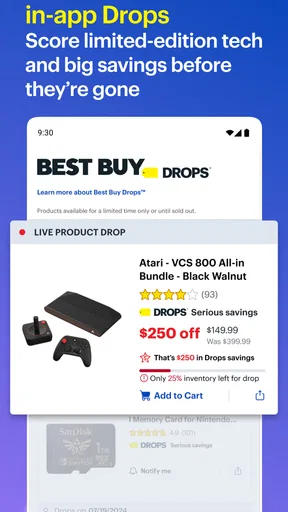
The app-exclusive Best Buy Drops are the feature that gives the mobile experience a distinct reason to exist. They create a more event-oriented way to browse, where I may check the app not only because I have a planned purchase but also because a limited or specially presented deal catches my attention. That can be fun for deal-focused shoppers and useful when I am flexible about what to buy.
There is a trade-off, though. A drop-based shopping habit can encourage impulse decisions. I find it sensible to decide on a budget and a product category before browsing these offers. Otherwise, the excitement of seeing a deal can replace the more important questions: Do I need this item, will it work with what I already own, and is the saving meaningful compared with alternatives?
A good workflow is to treat a drop as a lead rather than an automatic purchase. I would open the product details, check the specifications, compare the model with the one I originally considered, and then decide. This small pause is particularly valuable for electronics, where a lower price may involve compromises in size, ports, storage, performance, or included accessories.
A realistic example: replacing a home-office display
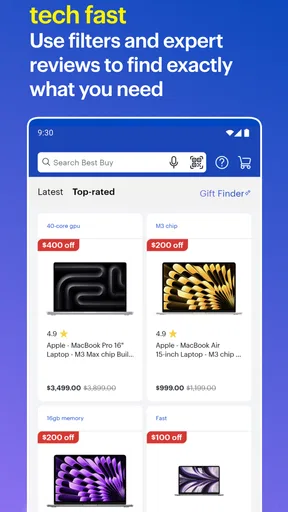
Imagine that my home-office monitor has started flickering. I would begin by searching for displays in the app and identifying the features that matter: screen size, connection type, resolution, and whether the stand suits my desk. I would not rely on the product title alone. I would open the full listing, read the specifications, and compare the candidate against the ports on my computer.
Next, I would save or remember two or three realistic options rather than fixating on the first discounted result. If an app-exclusive Drop appears, I would compare it with those options instead of assuming it is automatically the best choice. I would also think about collection or delivery practicalities before completing the purchase, especially if the item is large or needed quickly.
This is where the app earns its place for me. It shortens the path from “my monitor is failing” to “these are the models worth considering.” It does not replace the research step, and it cannot decide whether a particular panel is comfortable for my eyes or suitable for my work, but it gives me a structured starting point and keeps the shopping process moving.
Useful habits that make the app more effective
The best way to use this app is to separate discovery from commitment. I browse broadly first, then create a short mental list, and only afterward examine the details of each serious candidate. This avoids a common mobile-shopping mistake: making a decision from a thumbnail, a short title, or a prominent deal label.
For products with compatibility concerns, I keep the existing model number nearby. That might be the model of my laptop, television, phone, router, or appliance. Searching with that information in mind is more reliable than choosing an accessory based only on appearance. It is a small step, but it prevents the frustrating situation where a cheap purchase turns out to need an adapter or does not support the connection I use.
For appliances and larger home products, I would measure before browsing seriously. Width, depth, height, door clearance, and nearby connections can matter more than a promotional badge. The app can help me explore candidates, but a phone screen cannot tell me whether a product will physically fit in my home. I consider this a strength of the app’s role, not a flaw: it handles product discovery, while I remain responsible for the real-world constraints.
I also recommend checking the full product information before relying on a deal. A discount is only valuable if the model has the features I need and the purchase timing works for me. When I use the app this way, it becomes a decision aid instead of a stream of tempting offers.
Where the experience becomes less comfortable
The main limitation is that the app naturally presents Best Buy’s own retail environment. That is convenient when I already trust the retailer or want to buy there, but it does not provide the broad neutrality of a price-comparison service. I may still need to check competing retailers, manufacturer pages, specialist reviews, or independent testing before deciding on an expensive product.
This matters most for major purchases. A television, laptop, refrigerator, or smart-home system can involve long-term compromises that are not obvious from a shopping listing. The app helps me locate and evaluate Best Buy’s options, but it should not be my only source for performance information. I would use it alongside independent research when the purchase is costly or technically complex.
The deal emphasis can also make the experience feel busier than a simple list of products. App-exclusive Drops are useful for shoppers who enjoy timed discovery, but they may distract people who already know exactly what they want. If I am trying to replace one specific cable or buy a particular accessory, I prefer a direct search and a quick specification check rather than exploring promotional content.
Another point of friction is the gap between browsing and the practical reality of fulfillment. A product may look perfect on screen, yet my decision can still depend on timing, location, pickup convenience, delivery requirements, or whether I need help installing a larger item. I would confirm those details during checkout and avoid assuming that a visible listing automatically means the item fits my schedule.
Who should install it, and who may prefer another option?
I think the app is a strong fit for Best Buy regulars, people shopping for electronics and appliances, and anyone who likes checking deals from a phone. It is also useful for households where several people are involved in a purchase. One person can browse options, another can verify dimensions or compatibility, and the final decision can happen without passing around a laptop.
It suits planned upgrades particularly well. If I know that I will soon need a new router, monitor, appliance, or accessory, I can use the app to become familiar with the available choices before the old product fails. That reduces the pressure of making a rushed decision at the worst possible moment.
Deal hunters are another natural audience, especially those interested in Best Buy Drops. I would recommend it to them with one condition: use a shopping list or budget as a guardrail. The feature is most valuable when it helps me find a purchase I already have a reason to make, not when it persuades me to buy something merely because it appeared at an attractive moment.
On the other hand, I would not make this my only shopping app if I routinely compare prices across many retailers, buy mostly from independent sellers, or need highly specialized professional equipment. A general marketplace may offer a wider seller range, while a comparison tool may make cross-store pricing easier. For detailed product education, specialist publications and manufacturer documentation can be better companions.
People who dislike promotional browsing may also find the experience less appealing. If I want a quiet, minimal catalog with no temptation to explore current deals, a retailer app built around discovery may feel more active than necessary. The app is at its best when I accept that shopping and deal discovery are connected parts of the experience.
Compatibility, cost, and everyday accessibility
The app is free, which removes the usual barrier to trying it. It is rated for Everyone, so its shopping purpose is accessible to a broad audience. The current version is 26.8.12, and it supports Android 7.0 or later. For someone using an older Android phone, checking that operating-system requirement before attempting installation is sensible.
Because the app is free, I judge it mainly by the time it saves and the quality of the shopping decisions it supports. It does not need to replace every other research tool to be worthwhile. If it helps me locate a suitable product, understand the relevant options, and approach checkout with fewer surprises, it has done its job.
I would still keep expectations realistic. A retailer app cannot guarantee that every product will be the right fit, and a high user rating does not remove the need to read specifications. I see the rating and broad adoption as reassuring signs of a mature shopping tool, but my own experience depends on the product category, the quality of the listing, and how carefully I use the information presented.
My verdict after using it as a shopping tool
Best Buy: Shop tech deals succeeds because it gives mobile shoppers a focused way to explore technology, appliances, and home-related products while adding a distinct deal-discovery layer through Best Buy Drops. I like it most when I have a real need, a few requirements, and enough patience to compare details before buying. In that situation, it turns a broad shopping task into a manageable shortlist.
Its weakness is equally clear: it is not a neutral replacement for the wider internet. I would not use it alone to judge performance, find every available seller, or make a major purchase without checking compatibility and independent information. The app represents one retailer’s selection, and its promotional features can encourage browsing beyond the original plan.
My recommendation is therefore specific. Install it if you buy technology or appliances from Best Buy, want a convenient mobile catalog, or enjoy checking app-exclusive offers. Use it as a focused research and purchasing companion, not as your only authority. With that approach, the app is practical, easy to justify as a free download, and genuinely helpful for turning everyday tech-shopping problems into clearer decisions.
Privacy and Permissions
See what permissions an app requests and how it handles your data.
- Calendar
- read calendar events plus confidential information, add or modify calendar events and send email to guests without owners' knowledge
- Location
- approximate location (network-based), precise location (GPS and network-based)
- Phone
- read phone status and identity
- Photos/Media/Files
- read the contents of your USB storage, modify or delete the contents of your USB storage
- Storage
- read the contents of your USB storage, modify or delete the contents of your USB storage
- Camera
- take pictures and videos
- Microphone
- record audio
- Wi-Fi connection information
- view Wi-Fi connections
- Device ID & call information
- read phone status and identity
- Other
- view network connections, pair with Bluetooth devices, access Bluetooth settings, expand/collapse status bar, full network access, change your audio settings, run at startup, reorder running apps, draw over other apps, control vibration, prevent device from sleeping
Verdict
Strengths of Best Buy: Shop tech deals
- Easy access to daily deals, promotions, and member-exclusive offers.
- Detailed product specifications help compare electronics before buying.
- Store pickup can save time and reduce delivery waiting.
- Order tracking keeps you updated from purchase to arrival.
- Product reviews and ratings support more informed shopping decisions.
Limitations of Best Buy: Shop tech deals
- Some popular deals sell out quickly or have limited quantities.
- App performance may vary when browsing large product categories.
- Prices and availability can differ between online and local stores.
- Marketplace sellers may have different shipping and return policies.
- Frequent promotional notifications can feel excessive for some users.
Similar Picks in This Category
View All
SHEIN-Shopping Online
Roadget Business PTE. LTD.4.8

Amazon Shopping
Amazon Mobile LLC4.4


Mercado Libre: Compras online
Mercado Libre4.8

Wish: Shop and Save
Wish US Holdings LLC4.7

Alibaba.com - B2B marketplace
Alibaba Mobile4.4
Frequently Asked Questions
What is the Best Buy: Shop tech deals app used for?
The Best Buy app is designed for browsing and purchasing electronics, appliances, entertainment products, and related accessories from your mobile device. During testing, it provided access to product descriptions, customer ratings, current prices, special offers, and availability information. It is also useful for checking local store inventory, managing orders, tracking deliveries, and finding pickup options before visiting a Best Buy location.
Can I order products through the Best Buy app?
Yes, the app allows users to place orders for eligible products directly from their Android or iOS device. You can add items to your cart, review shipping or pickup choices, apply available promotions, and complete checkout using supported payment methods. Before ordering, check the product page carefully because delivery times, pickup eligibility, installation services, and return conditions can vary depending on the item and your location.
Does the Best Buy app offer exclusive deals or discounts?
The app regularly displays sales, limited-time promotions, clearance products, and member-related offers, making it convenient for shoppers looking for technology deals. However, not every discount is exclusive to the app, and prices or promotions may change without notice. Some offers can also require membership in My Best Buy or have restrictions, so it is important to read the full terms before completing a purchase.
Can I check store inventory and choose in-store pickup?
Yes, one of the app’s most useful features is the ability to check whether a product is available at a nearby Best Buy store. After selecting your location, eligible items may offer store pickup, curbside pickup, or shipping options. Inventory information is not always guaranteed until an order is confirmed, so users should wait for the pickup notification before traveling to the store.
Is the Best Buy app safe, and what should I know about returns?
The official Best Buy app is intended for secure shopping and account management, but you should download it only from the verified Google Play Store or Apple App Store. Use a strong password and review account permissions before signing in. Return periods, restocking rules, warranty coverage, and marketplace seller policies can differ by product, so always confirm the applicable policy on the order or product page.
